
Introduction
This article explains how to manage which user(s) can approve the I-9 Form. I-9 approvers will be asked to fill out the company portion of I-9s after the employee has filled their part out. The platform allows you to designate one, or multiple approvers. If no specific users are designated, the company president will be designated as the approver.
Note that you can only access the screens mentioned in this article if you have Full HR Admin Access.
How to View or Set I-9 Approvers
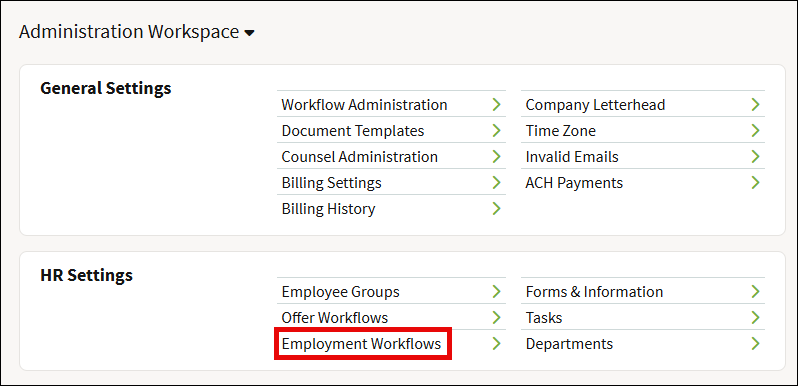
- From the Administration Workspace go to HR Settings > Employment Workflows.
- Select Form I-9 on the left panel.
- In the Workflow Approvers field, enter in the names of each user to be added as an approver. Note that these users must first be added to the platform before they can be selected in this step.
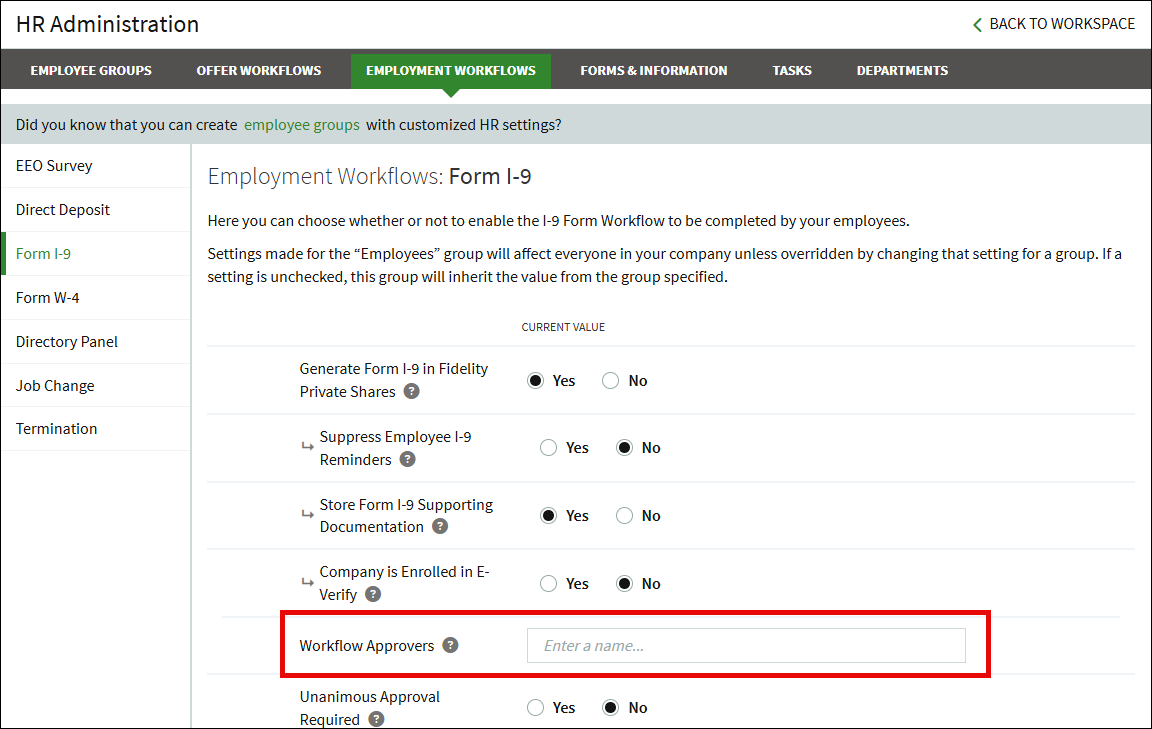
- Click Save when all users have been added.
Multiple I-9 Approvers
When an employee has completed an I-9, everyone listed on the Workflow Approvers list will receive a notification of the next steps. From the My Workflows view, the notification will say Preview Employee Form I-9.
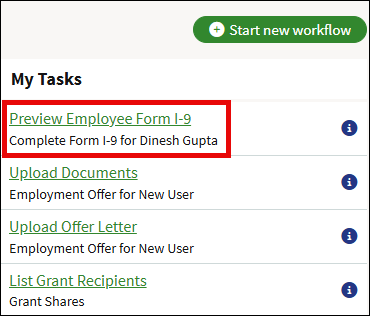
If you click the details button (the blue i icon) to the right of the task, the workflow details page will open and will show which other workflow approvers can claim the workflow. You can click Claim if you will be running the one completing the workflow.
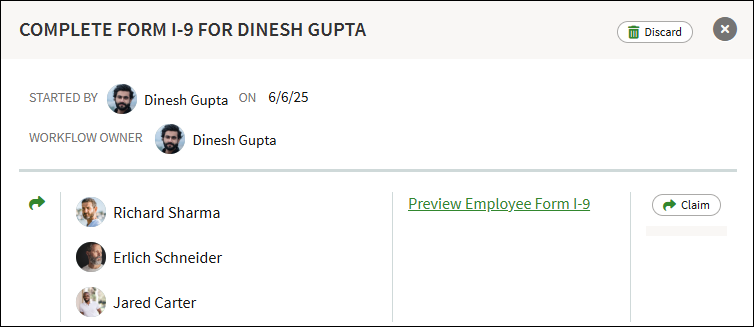
If you click the name of the workflow, you'll see a large warning that says, "This section can be completed by multiple users." Click the Claim Workflow button to take ownership of completing the workflow.
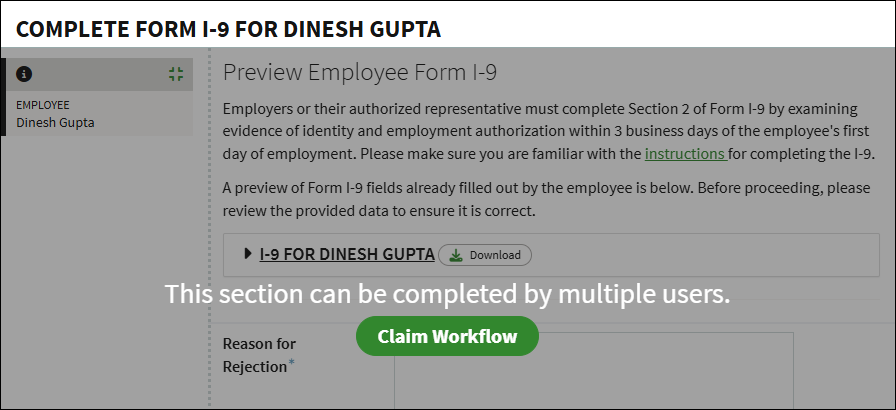
Screenshots are for illustrative purposes only.
Fidelity Private Shares LLC provides cap table management and other administrative services to private companies and their equity compensation plans.
Fidelity Private Shares LLC
© 2025 FMR LLC. All rights reserved.
1095924.2.0