
Introduction
The Amend Stock Incentive Plan workflow can be used to make or record changes to your Stock Incentive Plan (SIP). This workflow has two paths: a generative path that will create an amendment to change the number of authorized shares, or an upload path where you can document a change to the authorized shares and/or changes to the post termination exercise periods in the SIP. Amendments to the SIP can be viewed in the Company Profile.
Creating a New SIP Amendment
This workflow will allow you to generate an amendment to the SIP to change the number of authorized shares.
This path of the workflow will only work if you have created a new SIP in Fidelity Private Shares. If you uploaded an existing SIP, please follow the steps to upload an amendment in the section below.
- From the Company Workspace, navigate to Start New Workflow > Equity > Amend Stock Incentive Plan.
- Select Execute a New Amendment to the Stock Incentive Plan and click Continue.
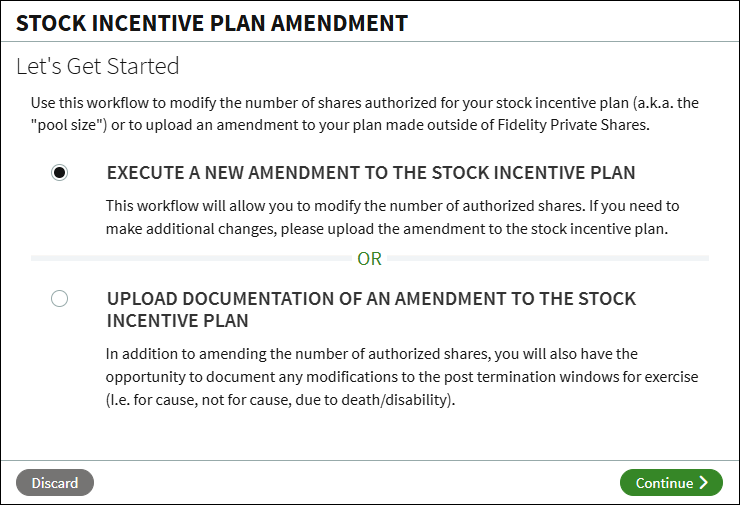
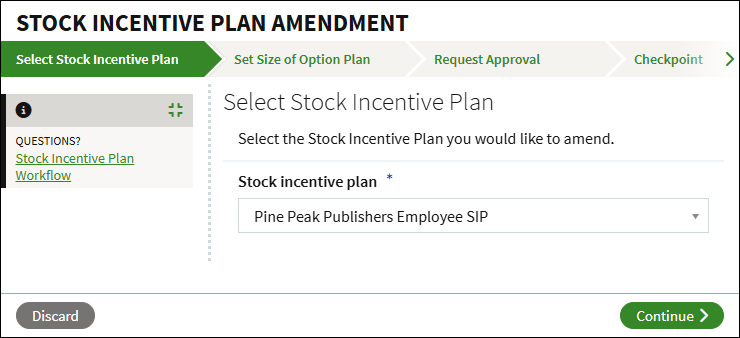
- Select the plan to amend and click Continue.
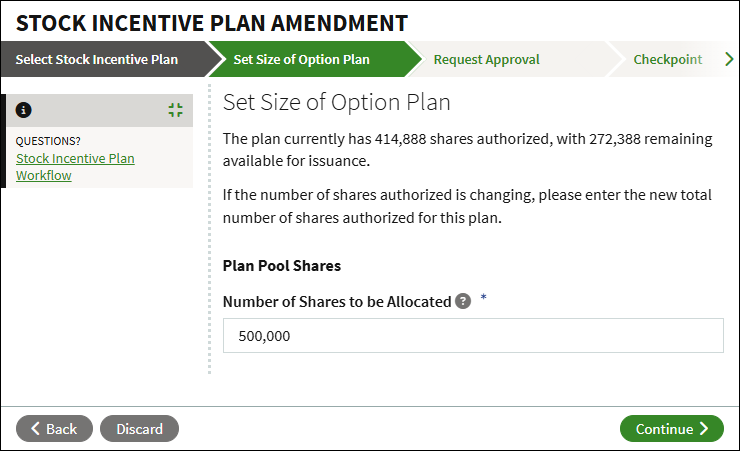
- The current size of the pool will display, with the number of shares available for issuance. If you are changing the size of the authorized shares, enter the new total number of shares.
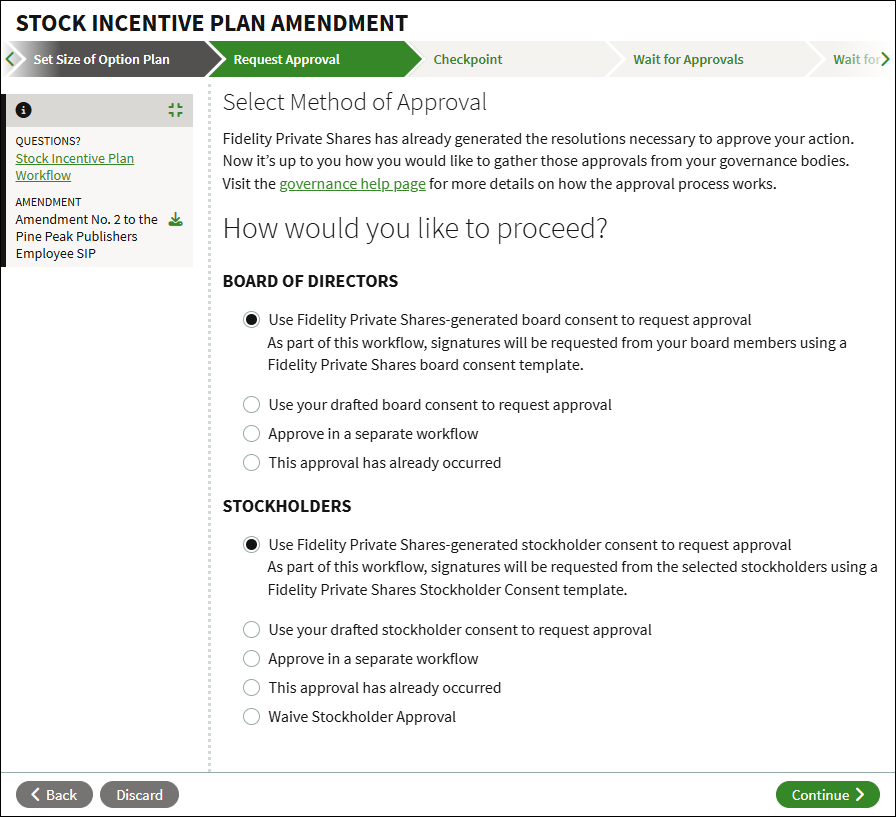
- Select your method of approval for both the Board of Directors and Stockholders. You can select to generate the consent using our template, upload a drafted consent to send for signature, choose to approve in a separate workflow, or if the approval has already occurred you can upload or select the consent from the Data Room.
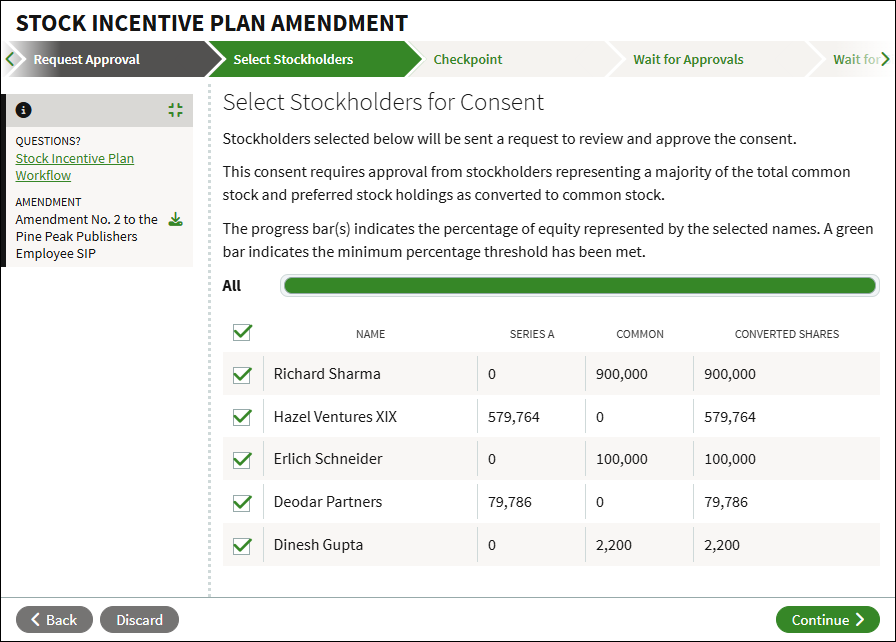
- If generating a Stockholder Consent, you will be prompted to select which stockholders will be sent the request for approval. The consent requires approval from a majority of all stockholders.
- At the Checkpoint, review all uploaded and/or generated documents before continuing. You can also choose to send the workflow for legal review, or share the documents with others. When ready to proceed, click Continue.
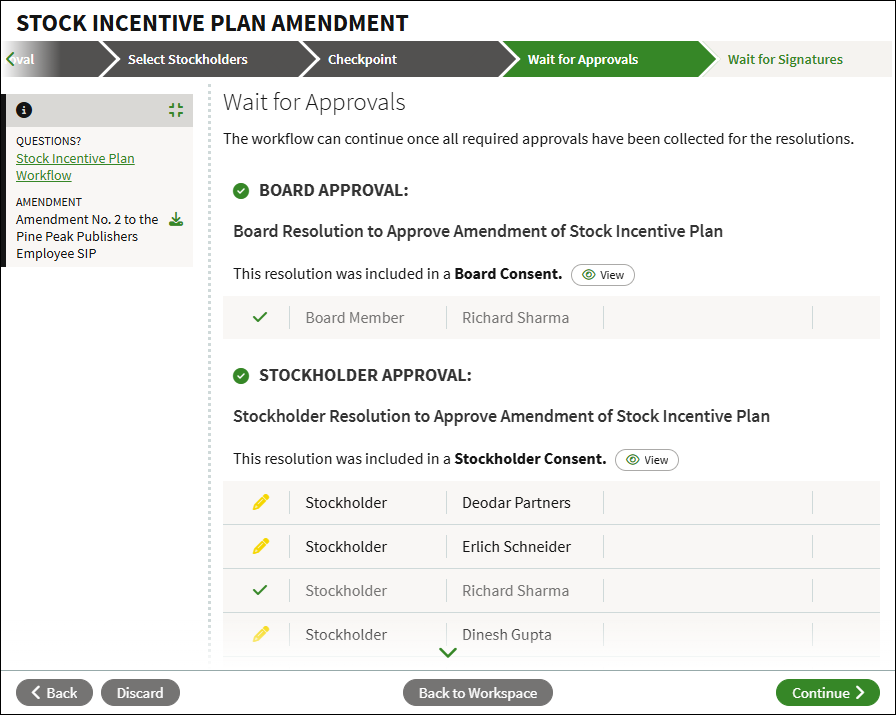
- The workflow will continue once all approvals have been collected. You can track any pending approvals on this screen. Once all approvals have been collected, click Continue.
- The amendment will be sent to the designated company representative for signature.
- Once signed, the amendment workflow will complete, the amended plan documents will be added into the Data Room, and the amendment history will display in the Stock Incentive Plan Information section of the Company Profile.
Uploading a SIP Amendment
This workflow allows you to upload an amendment created outside of Fidelity Private Shares to change the authorized shares and/or the post termination exercise windows.
- From the Company Workspace, navigate to Start New Workflow > Equity > Amend Stock Incentive Plan.
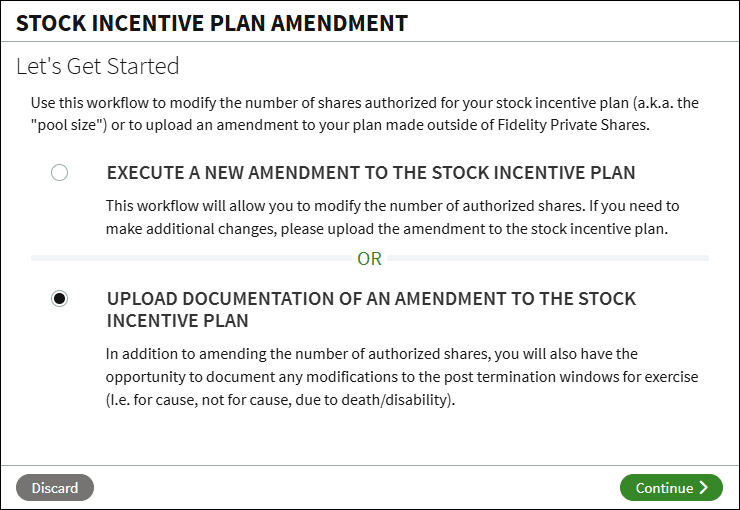
- Select Upload Documentation of an Amendment to the Stock Incentive Plan and click Continue.
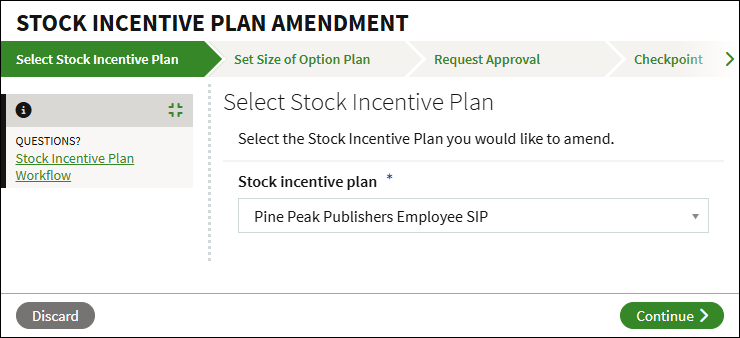
- Select the plan to amend and click Continue.
- If the size of the pool is changing, enter the new total number of shares authorized, and click Continue.
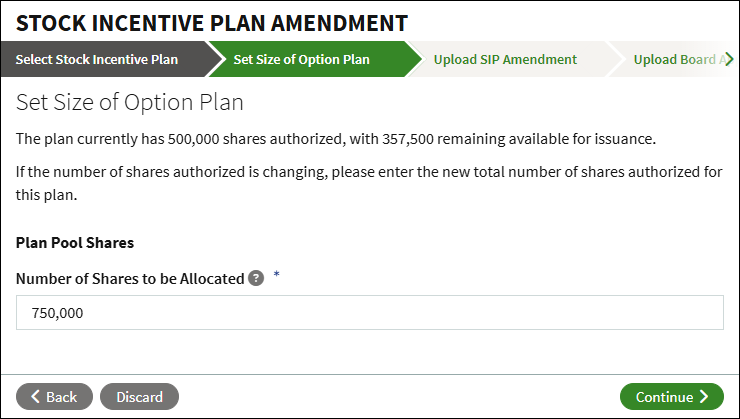
- Click Document Options to upload the amendment or select it from the Data Room. Enter the Effective Date of the amendment. If changing, enter the new post-termination exercise windows (in days).
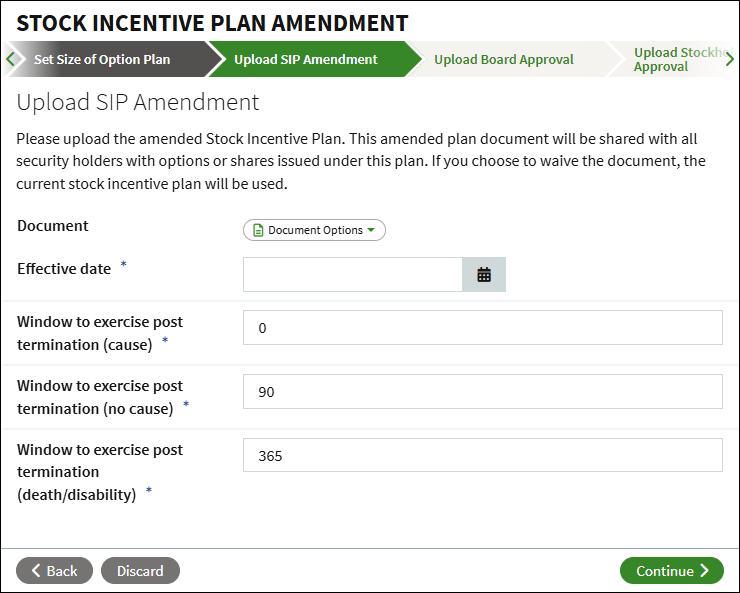
- Click Document Options to upload the board approval or select an existing approval from the Data Room. Enter the Effective date, and select the Type of approval.
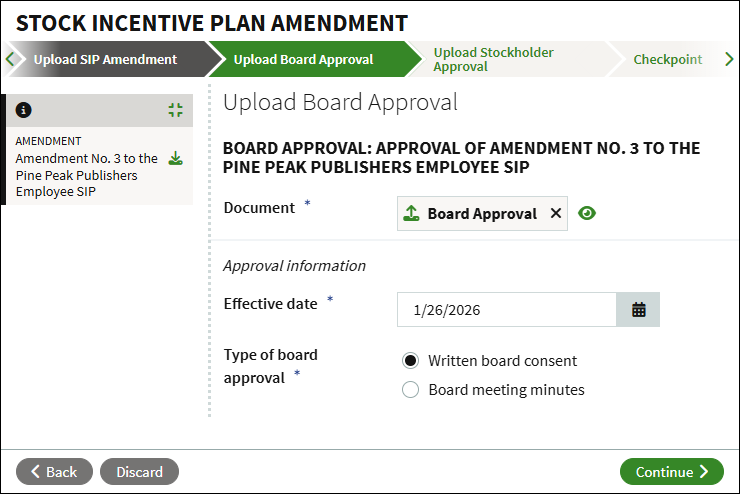
- Click Document Options to upload the stockholder approval or select an existing approval from the Data Room, and enter the Effective Date.
- At the Checkpoint, review all uploaded documents before continuing. You can also choose to send the workflow for legal review, or share the documents with others. When ready to proceed, click Continue.
- At this point, the amendment workflow will complete, the amended plan documents will be added into the Data Room, and the amendment history will display in the Stock Incentive Plan Information section of the Company Profile.
Viewing your SIP History
Additional information about your SIP, including plan amendments, can be viewed in the Company Profile. The Company Profile can be opened from the Company Workspace by clicking on Company Profile, or from the left side-bar by clicking on Company > Profile > Corporate Information. 
In the Company Profile, click on Stock Incentive Plan Information.
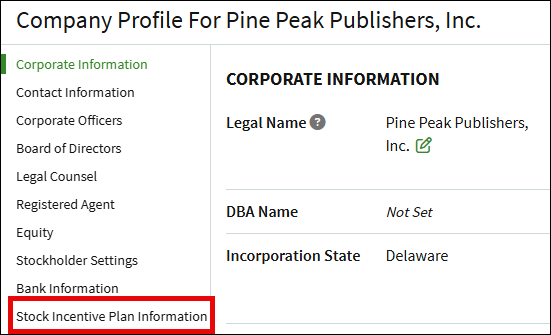
This page will show details for all active plans, including the total number of reserved shares, the number of shares issued, the number of shares available for issuance, any alternative document sets, default vesting schedules, and the plan history.
The Stock Incentive Plan History section will show the effective date of each amendment, the total number of reserved shares, and a link to the amendment document.
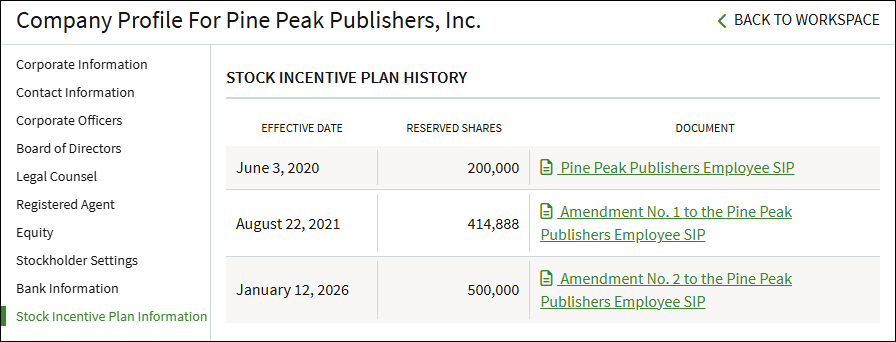
Screenshots are for illustrative purposes only.
Fidelity Private Shares LLC provides cap table management and other administrative services to private companies and their equity compensation plans.
Fidelity Private Shares LLC
© 2026 FMR LLC. All rights reserved.
1135021.2.0