
Introduction
Fidelity Private Shares is now part of the Fidelity network, which requires that all users have a Fidelity login to access their account. This transition allows for enhanced security monitoring and multi-product use for our users as part of the Fidelity ecosystem.
There are two user experiences resulting from this update:
- Existing Fidelity Private Shares need to transition from their current login to a Fidelity login.
- New Fidelity Private Shares users must set up Fidelity login credentials when they first sign up.
Existing Fidelity Private Shares Users
Summary
Those who already have an account with Fidelity Private Shares will receive an email providing instructions on how to transition their account, and a link to start the transition process. If a user misses the email and navigates to Fidelity Private Shares to log in, they will be prompted to follow those same instructions so they can successfully transition their account.
Users will start the transition process by signing in with their current Fidelity Private Shares credentials. Current users can use an existing Fidelity login (if applicable) or create a new Fidelity login. To avoid the creation of duplicate Fidelity logins, Fidelity will compare the email and phone number in Fidelity Private Shares with existing Fidelity records to see if there is a Fidelity login already associated with your email or phone number. If you already have a Fidelity login, you will not be able to create new Fidelity credentials just for Fidelity Private Shares.
Step-by-Step Instructions
- Click the link in the notification email or navigate to privateshares.fidelity.com.
- Click the link to transition your login.
- Enter your current Fidelity Private Shares credentials and click Continue.
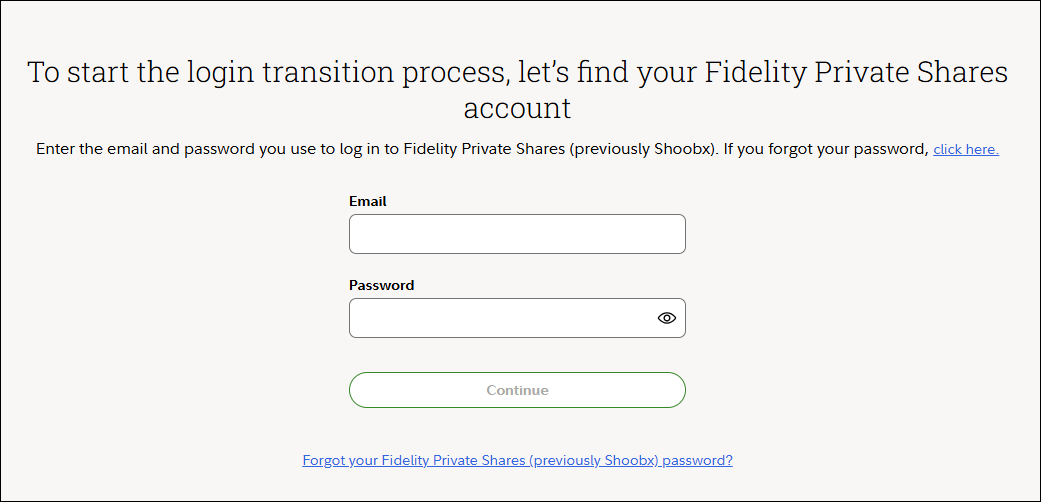
- If you already have an account with Fidelity (such as a 401(k), IRA, or brokerage account), click Log in with Fidelity. If you don't, click Create a Fidelity account.
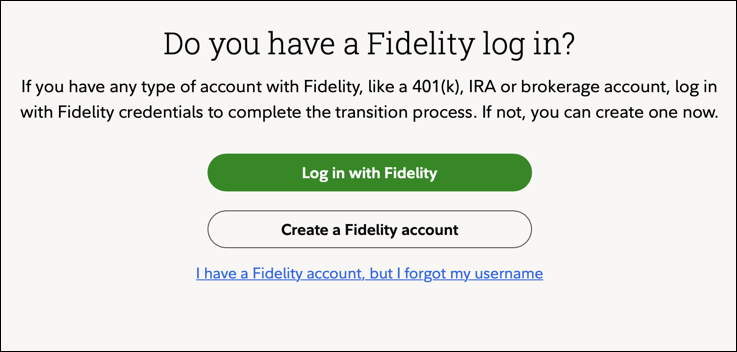
-
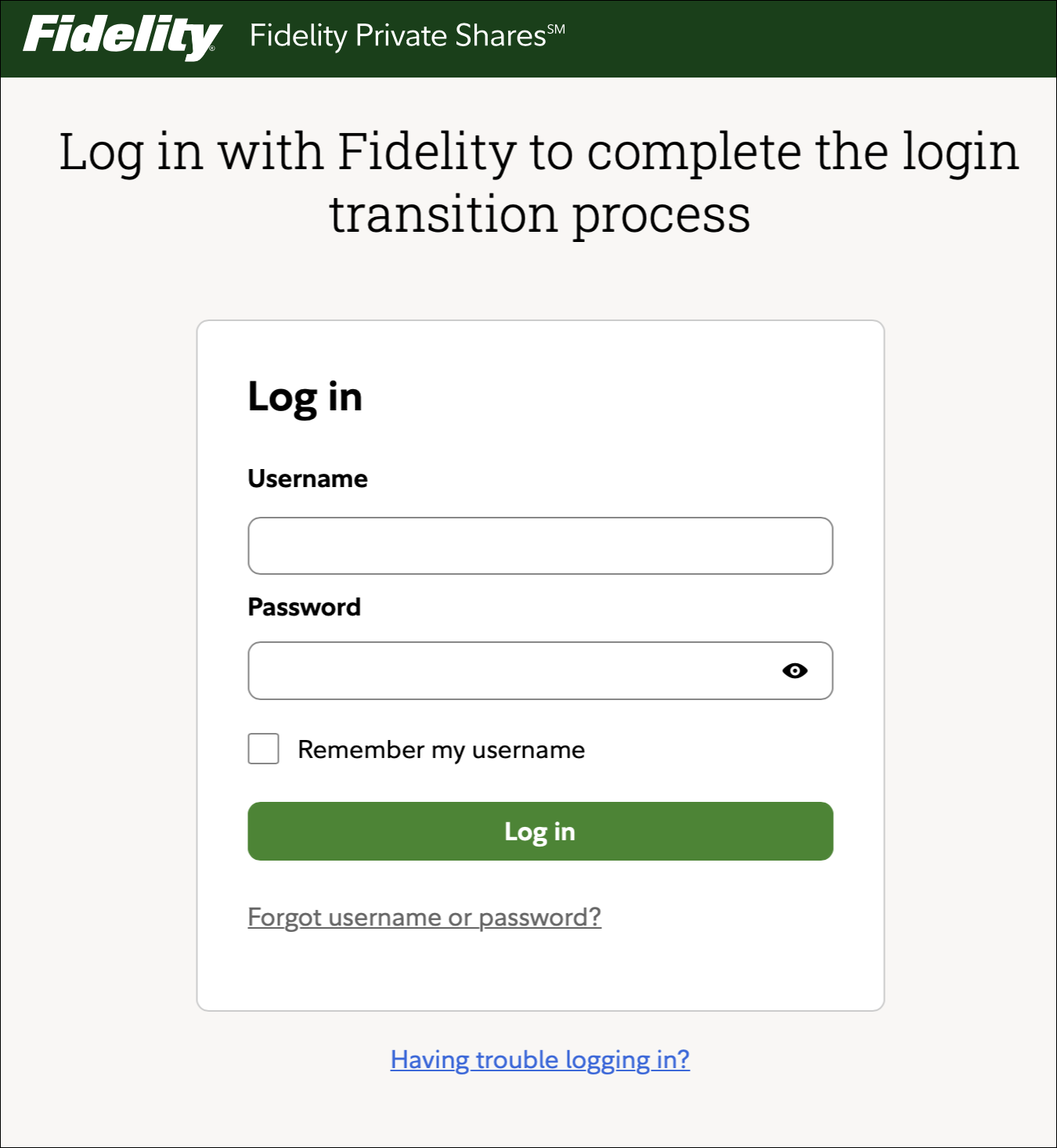
Finish the process by completing the steps on the screen that follows. The Log in with Fidelity button leads to this screen:
The Create a Fidelity account button leads to this screen: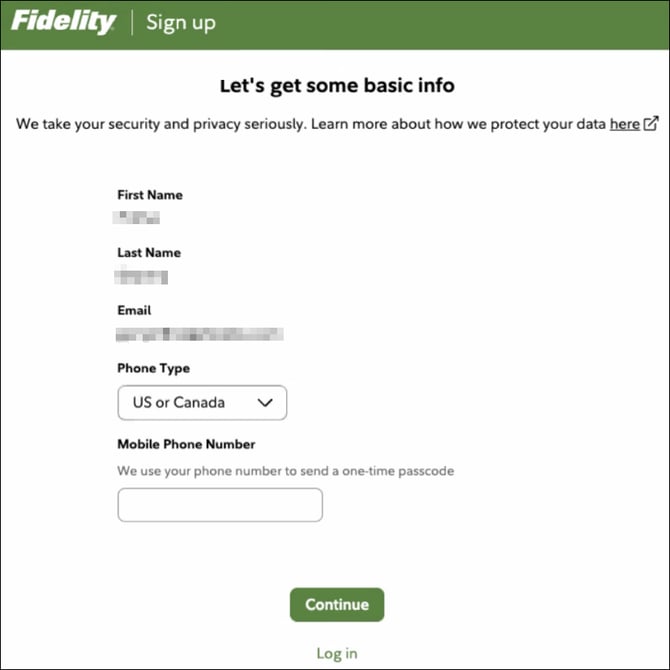
[callout type="note"]If you are not located in the US or Canada, click on the Phone Type dropdown menu and select the appropriate country code.[/callout]
New Fidelity Private Shares Users
Summary
New users will set up their Fidelity Private Shares account using a Fidelity login from the start. Users can sign up with an existing Fidelity login, or by creating a new Fidelity login. To avoid the creation of duplicate Fidelity logins, Fidelity will check for existing users who have that same email or phone number. If you already have Fidelity log in credentials, you will not be able to create new ones just for Fidelity Private Shares.
Step-by-Step Instructions
- To begin, click the link in the invite email sent to you by your company or Fidelity Private Shares representative.
- If you already have an account with Fidelity (like a 401(k), IRA, or brokerage account), click Sign up with an existing Fidelity login. If you don't, click Create a Fidelity login.
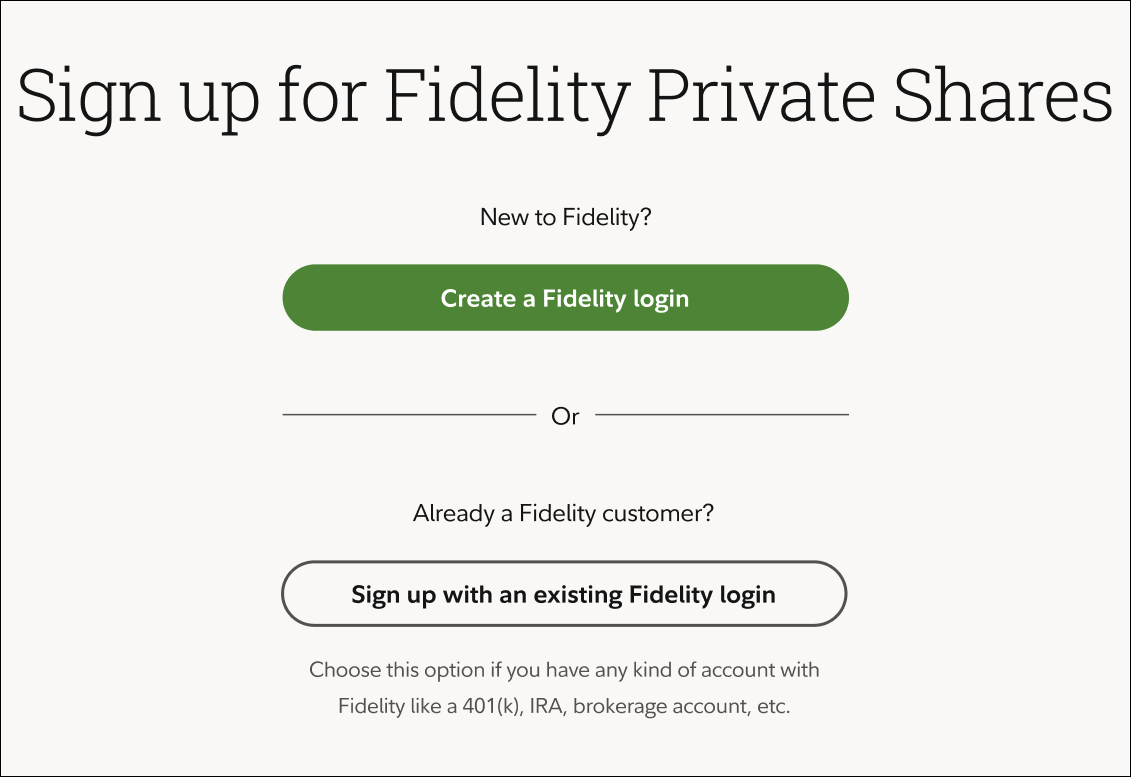
- Complete the steps on the screen that follows. The Sign up with an existing Fidelity login button leads to this screen:
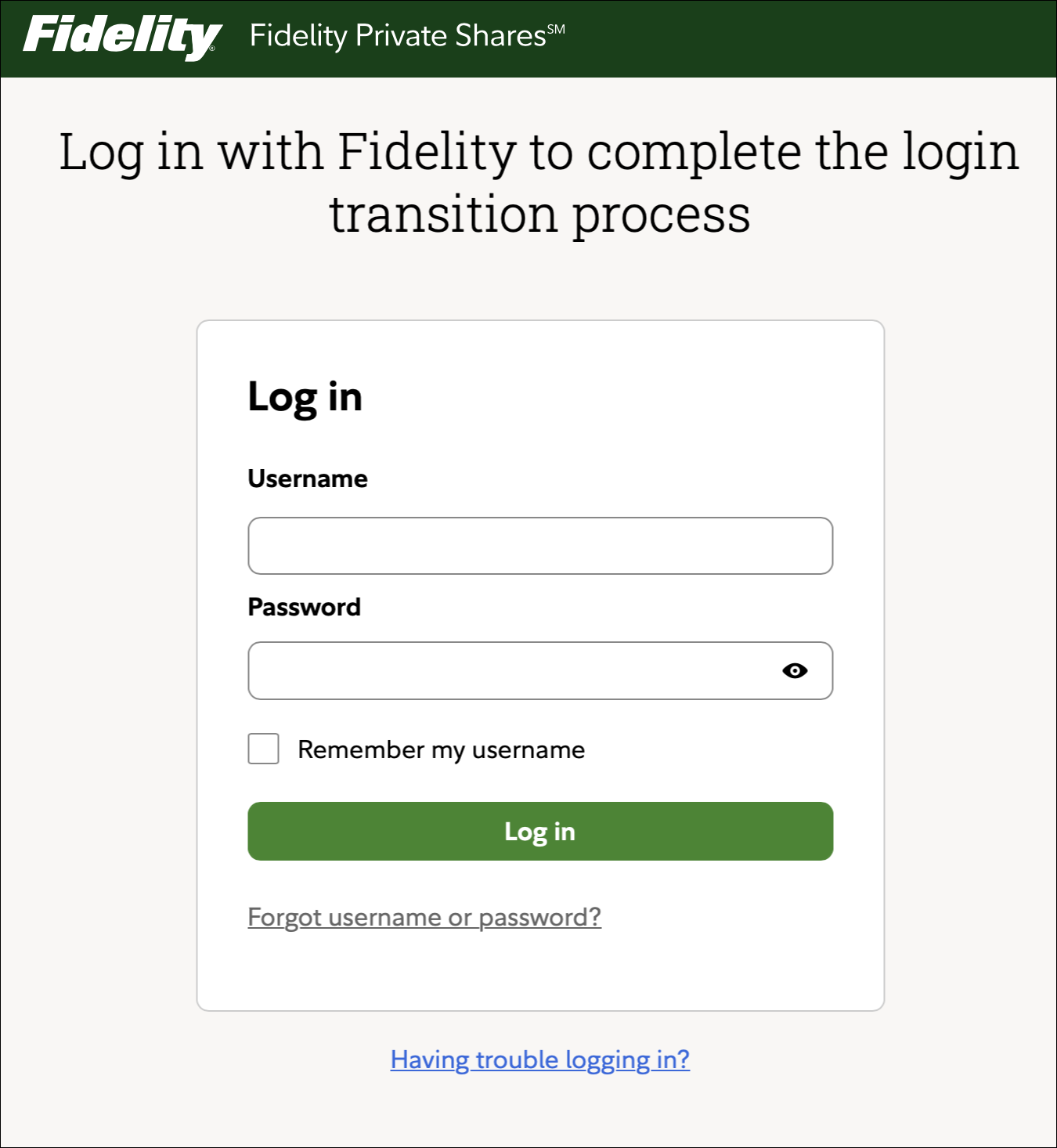 The Create a Fidelity login button leads to this screen:
FAQs
How can I change or reset my password? Visit this link to start the password recovery process. After entering your email, you'll receive instructions on how to reset your password. If you do not receive the email or run into any other issues please reach out to our Support team for further assistance.
If I already have a Fidelity account, can I make a new one just for Fidelity Private Shares?
No - you can't make a second account using the same email and/or phone number as an existing Fidelity account.
What are the username and password requirements?
Here are the guidelines for selecting a username:
- Use 6 to 15 letters and/or numbers
- If your username is between 9 and 11 characters in length, it must contain at least two letters
- Do not use one entire piece of personally identifiable information such as your Social Security number, telephone number, or date of birth. Instead, alter or disguise it
- Do not use 5 or more instances of a single number or letter, or easily recognized sequences (e.g., 12345 or 11111)
- Do not use symbols, punctuation marks, or spaces (e.g., #,@, /, *, -.)
Here are the guidelines for setting or resetting a password:
- Must be between 6 to 20 characters
- Cannot re-use your last password
- Do not use 5 or more instances of a single number or letter, or easily recognized sequences (e.g., 12345 or 11111)
- Only 5 characters can match your username
- Cannot re-use your last password
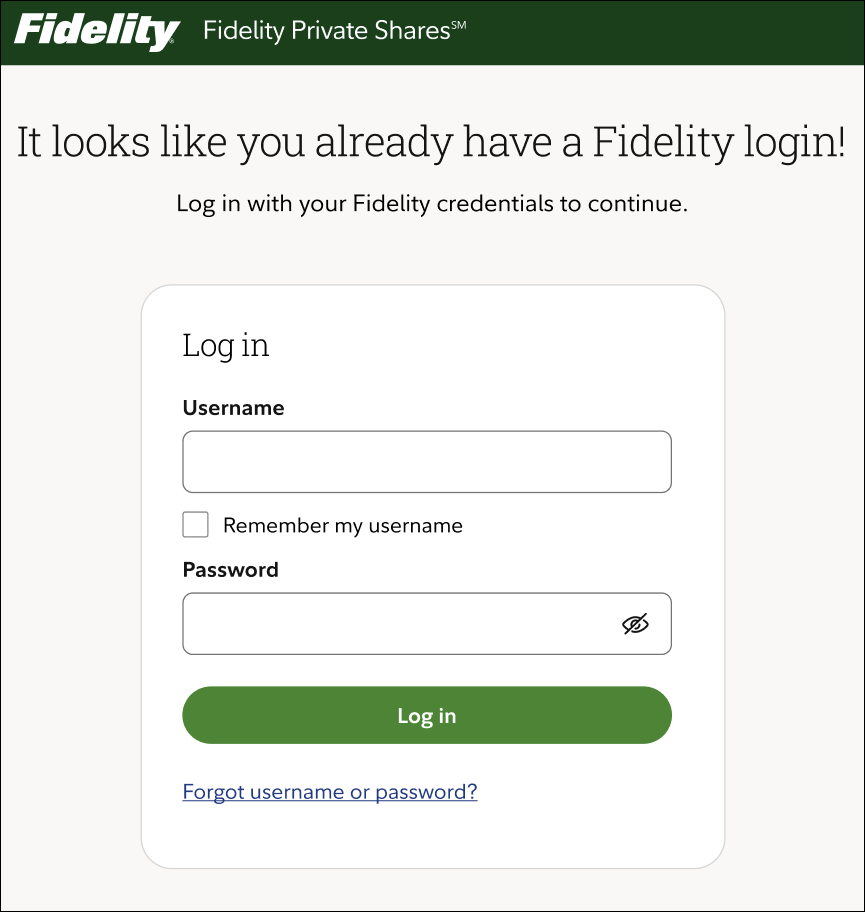
What if I already have a Fidelity account but forgot about it?
The platform will be able to identify this fact and will prompt you to log in. If you need to reset your username or password, click on the Forgot username or password link.
What if I don't remember my Fidelity Private Shares password?
- Click the Forgot your Fidelity Private Shares password? link
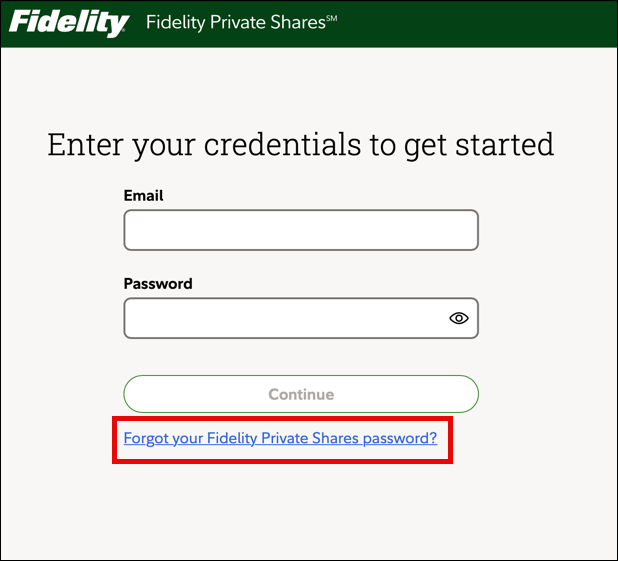
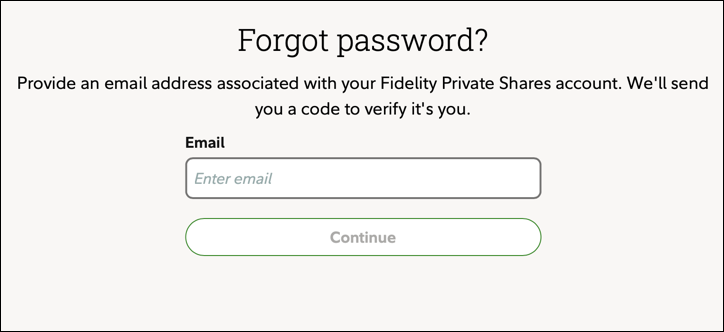
- Enter in the email address associated with your Fidelity Private Shares account and click Continue.
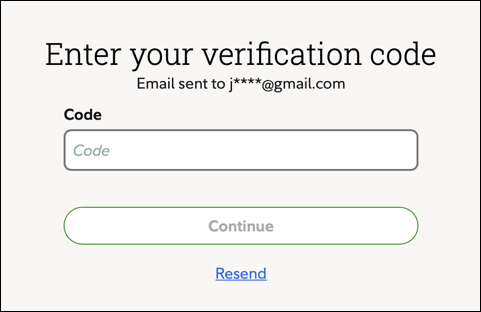
- Enter the code sent to the email address and click Continue.
Fidelity Private Shares LLC provides cap table management and other administrative services to private companies and their equity compensation plans.
Fidelity Private Shares LLC
© 2024 FMR LLC. All rights reserved.
1158596.1.0