
Introduction
The Record a Valuation workflow allows you to upload a completed 409A Valuation or a Board Analysis Report for the fair market value (FMV) of your common stock. Once recorded, the valuation report will be added to your Data Room, and will be listed in the 409A Valuation History Report.
Record a Valuation Workflow
Steps are included below to Record a 409A Valuation or to Record a Board Determined Valuation.
Record a 409A Valuation
Set Valuation Method
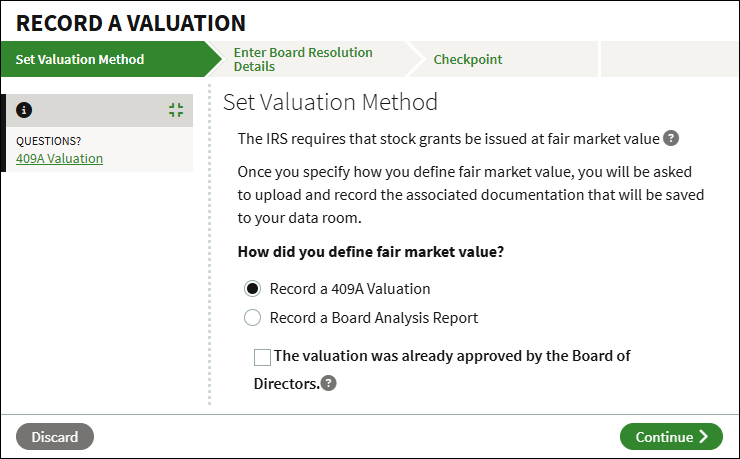
- From the Company Workspace, go to Start New Workflow > Equity > Record a Valuation.
- Select Record a 409A Valuation.
- Check the box if the valuation has already been approved by the board; you will be prompted to upload the approval later in the workflow.
- Click Continue.
Enter 409A Valuation Details
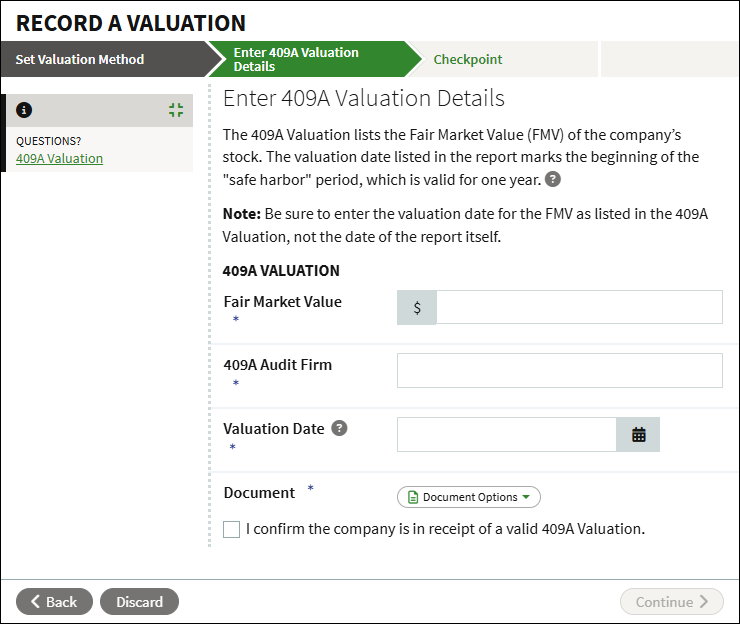
- Enter the details of the valuation: the Fair Market Value, name of the 409A Audit Firm, and the Valuation Date. Note that the date should be the date of the valuation, and not the date of the report itself.
- Click Document Options and select to either upload the report from your computer, or to select an existing file from the Data Room.
- Enter the effective date of the report, which is the date the report was completed. Note that this is different from the valuation date.
- Check the box to confirm if the company is in receipt of a valid 409A Valuation.
- Once the valuation details have been added, click Continue.
Upload Board Approval
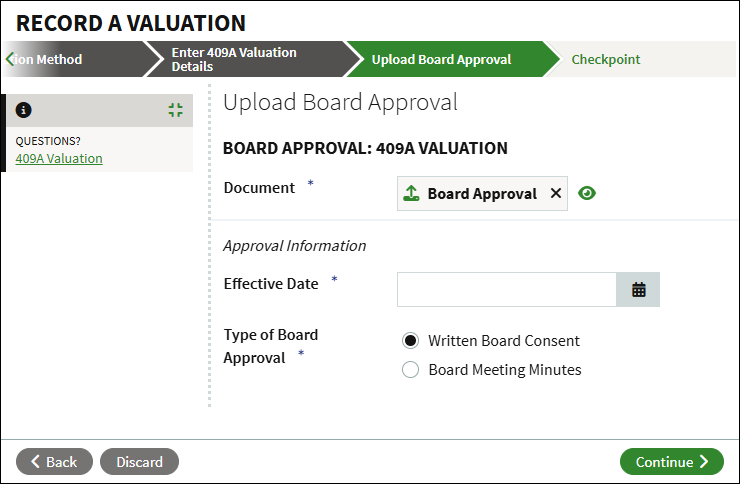
- If you checked that the 409A Valuation was approved by the board, click Document Options to either upload the board approval from your computer or select an existing approval from the Data Room.
- Enter the Effective Date.
- Select the Type of Board Approval.
- Click Continue.
Checkpoint
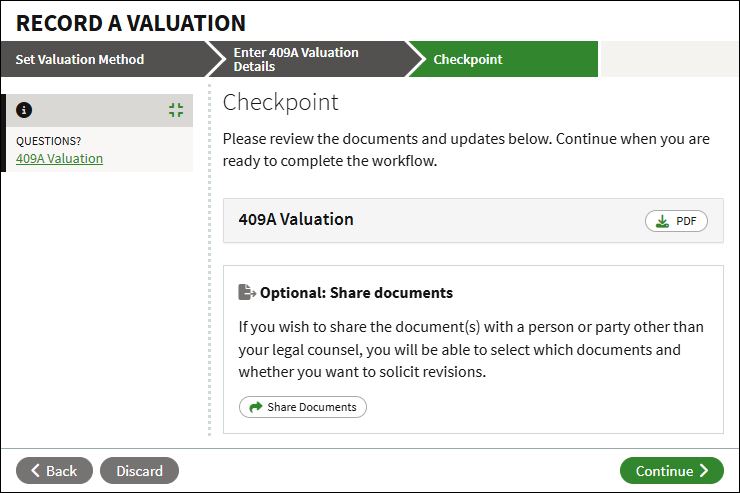
- Click PDF to download and review the uploaded document(s).
- You can optionally click to Share Documents with other users for review.
- To finalize, click Continue.
- The 409A Valuation is now recorded in your account. The valuation report, and related board approval if applicable, will be added to the Data Room. The valuation will show in the 409A Valuation History Report.
Record a Board Analysis Report
Set Valuation Method
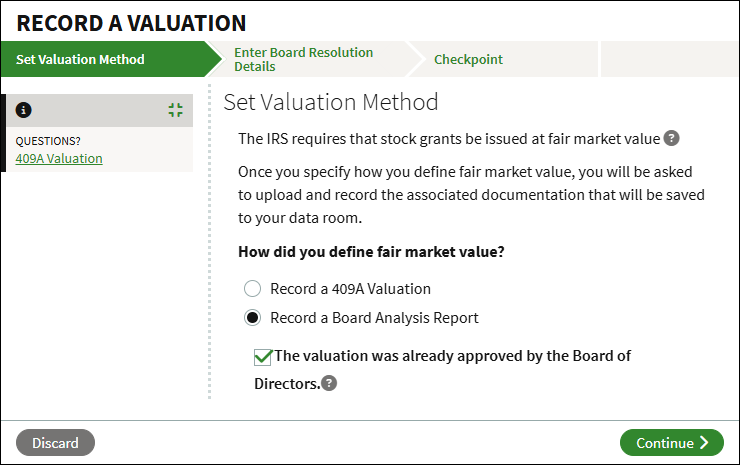
- From the Company Workspace, go to Start New Workflow > Equity > Record a Valuation.
- Select Record a Board Analysis Report.
- Check if the valuation was already approved by the board.
- Click Continue.
Enter Board Resolution Details
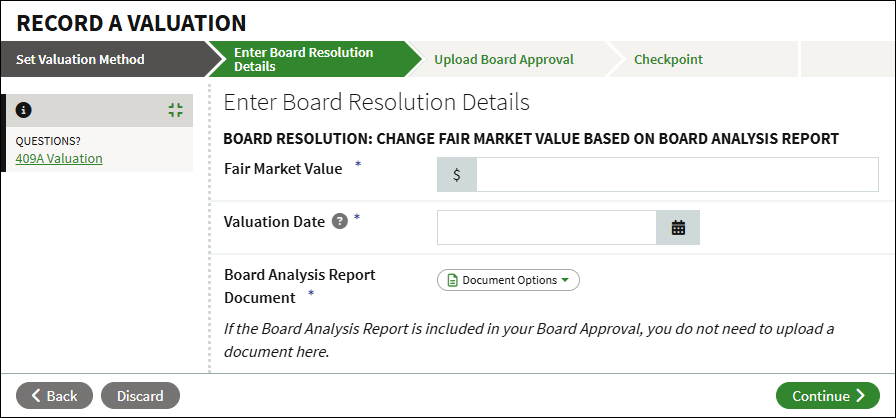
- Enter the Fair Market Value.
- Enter the Valuation Date. Note that this should be the effective date of the valuation, and not the date of the approval.
- Click Document Options to upload the Board Analysis Report. If you checked that the valuation has already been approved by the board, and the analysis is included in the board approval, you can select to Waive Document.
- Enter the Effective Date of the Board Analysis Report, if uploaded. Note that this is different from the valuation date.
- Click Continue.
Upload Board Approval
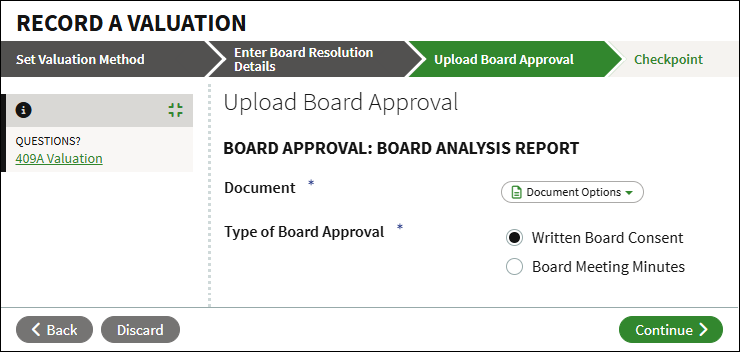
- If you checked that the analysis was approved by the board, click Document Options to either upload the board approval from your computer or select an existing approval from the Data Room.
- Enter the Effective Date.
- Select the Type of Board Approval.
- Click Continue.
Checkpoint
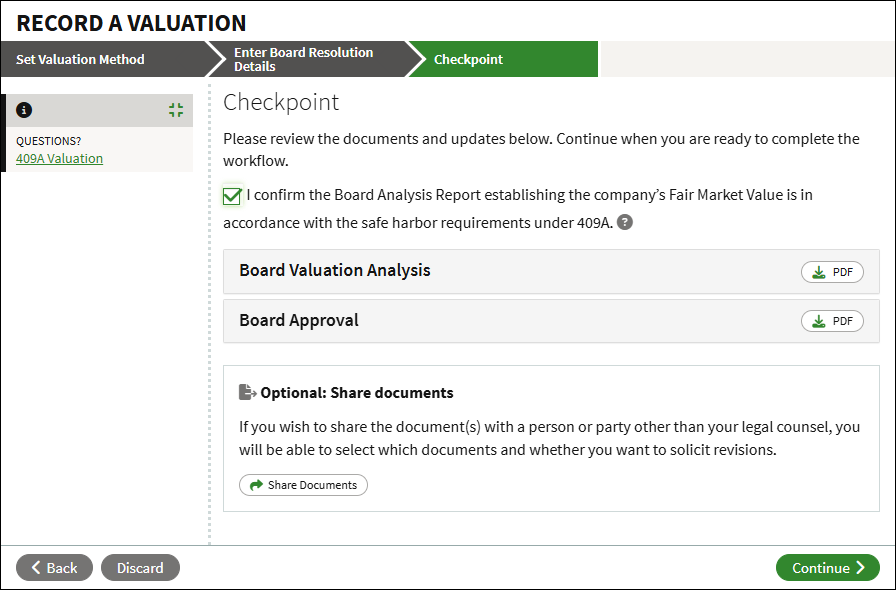
- Check to confirm that the Board Analysis report is in accordance with 409A safe harbor requirements.
- Click PDF to download and review the uploaded document(s).
- You can optionally click to Share Documents with other users for review.
- To finalize, click Continue.
- The valuation is now recorded in your account. The valuation report, and related board approval if applicable, will be added to the Data Room. The valuation will show in the 409A Valuation History Report.
Screenshots are for illustrative purposes only.
409A valuations are conducted by a third party.
Fidelity does not provide legal or tax advice. The information herein is general in nature and should not be considered legal or tax advice. Consult an attorney or tax professional regarding your specific situation.
Fidelity Private Shares LLC provides cap table management and other administrative services to private companies and their equity compensation plans.
Fidelity Private Shares LLC
© 2025 FMR LLC. All rights reserved.
1231246.1.0