
Introduction
It's time to take the next step in setting up your company. During Post Incorporation, you will define your officers, grant founder's equity, review IP contributions, and more.
Post Incorporation lays the foundation for your company's governance and operations. This workflow will generate the documents that set the rules for how your company makes decisions. This article will walk you through each step of the Post Incorporation process.
The Post Incorporation Process
This workflow is broken up into these steps. Click the links below to jump to that section of the article:
- Getting Started
- List Company Officers
- Define Stock Distribution
- Include IP Assignment Agreements
- Checkpoint
- Board Consent Approval
- Sign Stock Certificates & Founder Documents
- Wait for Signatures
Getting Started
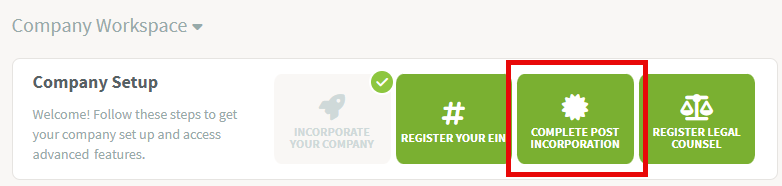
On the company workspace, click on Complete Post Incorporation.
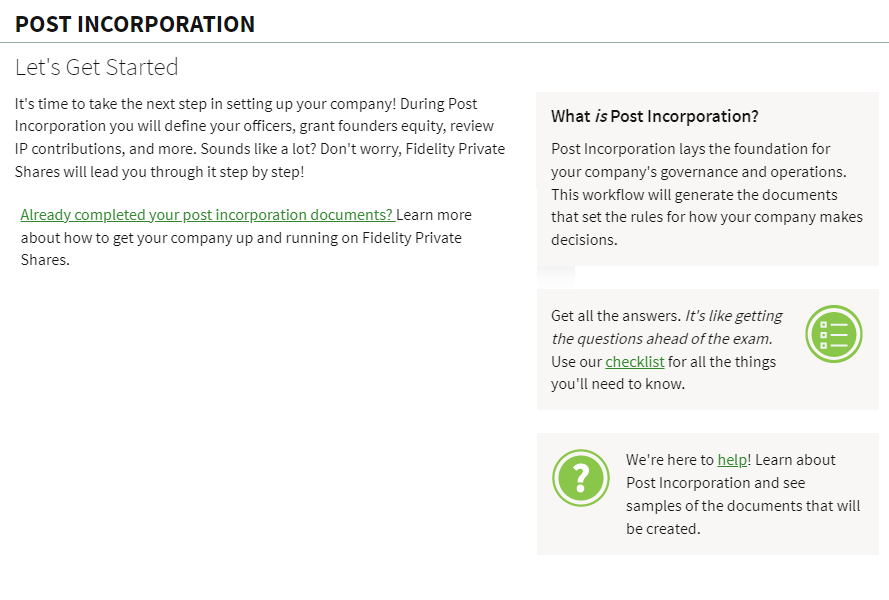
A welcome screen will show with an overview of the Post Incorporation workflow. Click Continue.
List Company Officers
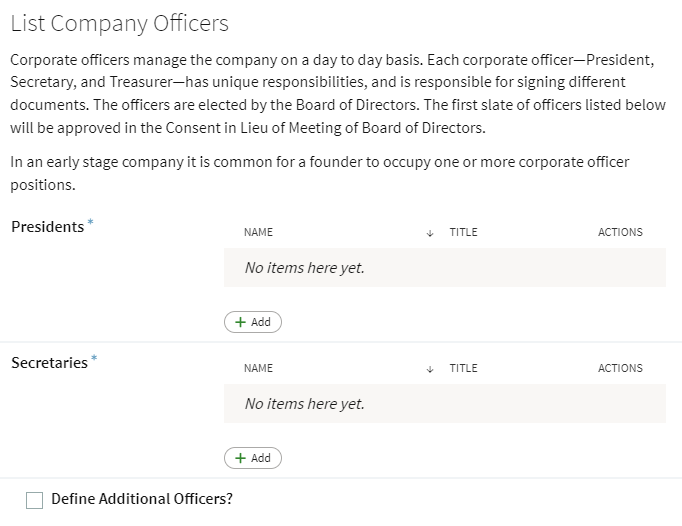
List the officers for your company. At minimum you must list the President and Secretary. The platform will allow for these to be the same person if applicable. You can also add additional officers if needed.
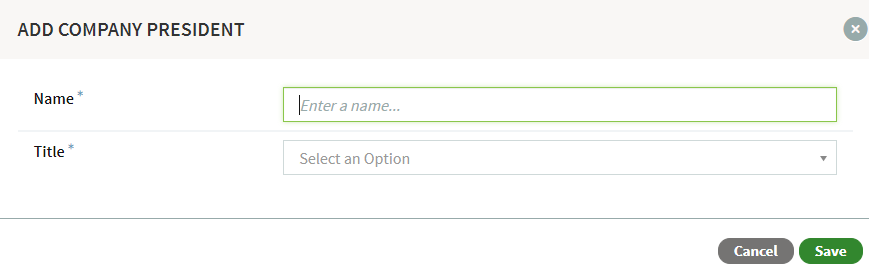
Click Add to enter the officer details. Type in their name, and click Create New User if they have not yet been added into the platform. Select their Title from the dropdown menu and click Save.
Define Stock Distribution
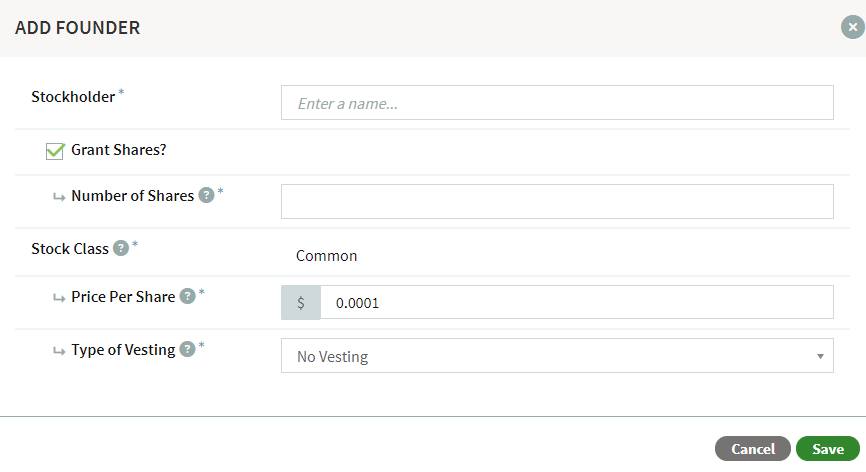
In this step, you will define the stock distribution for the founders, who will receive the initial equity in the company. You will be asked to provide stock issuance information, including the number of shares and vesting details.
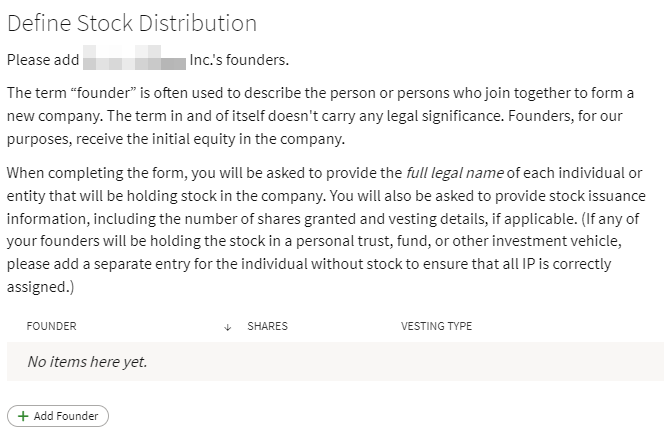
Click Add Founder to enter in the issuance details. Click Save to continue.
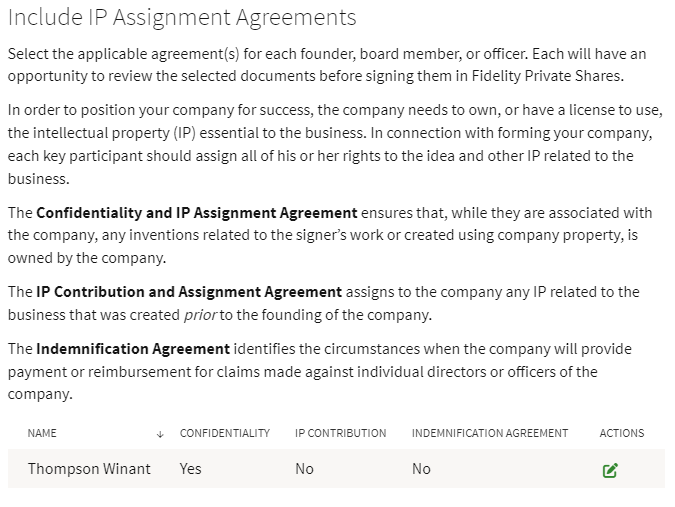
Include IP Assignment Agreements
Select the applicable agreements for each founder, board member, or officer. Click on Actions to add or remove an agreement.
Checkpoint
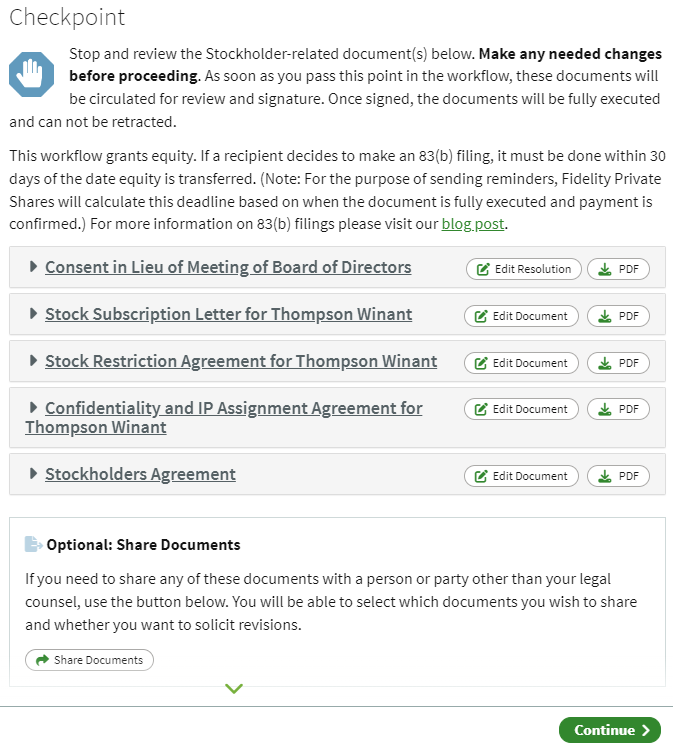
The Post Incorporation Checkpoint page allows you to review, and in some cases edit, the documents that have been created up to this point before they are sent out for review and signature. Carefully review each document and click Edit Resolution or Edit Document to make any changes. When all documents have been reviewed, click Continue.
Board Consent Approval
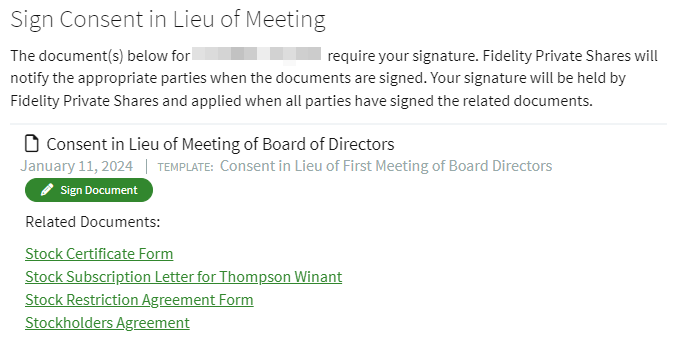
This step will ask you and/or other stakeholders to sign the necessary documents, which will depend on previous steps. These documents will include the Consent in Lieu of Meeting, Stock Certificates, and Founder Documents. Your signature will be held by the platform and applied when all parties have signed the related documents.
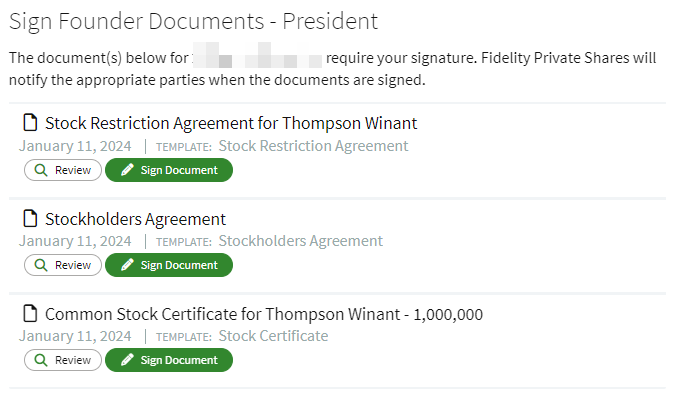
Sign Stock Certificates & Founder Documents
The President and Secretary will be notified by email to sign the generated Stock Certificates and/or Founder Documents. Once all parties have submitted their signatures, the workflow will continue.
Wait for Signatures
Notifications are sent out to founders, officers, and board members to review and sign to accept their Founder Documents, Stockholder Agreements, and/or IP Assignment Agreements.
Once all the necessary signatures from others have been gathered, you will be able to finish the workflow-- which includes setting up user access and viewing or downloading PDFs of all the documents that have been generated during the workflow. Congratulations, you have completed Post Incorporation.
Additional resources and next steps
Register your Employee Identification Number (EIN)
Setting Up a Stock Incentive Plan
Navigating Fidelity Private Shares
Screenshots are for illustrative purposes only.
1097472.2.0
© 2024 FMR LLC. All rights reserved.